Wallpapers
Google LLCPersonalization
4.110.01K Reviews
- Version
- Varies With Device
- Installs
- 1.00B
- Age Rating
- Everyone
Screenshots
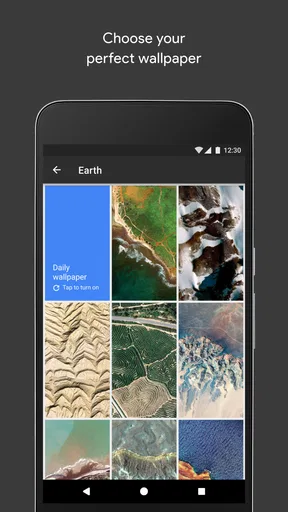
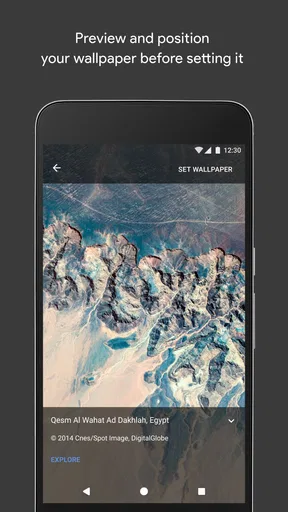
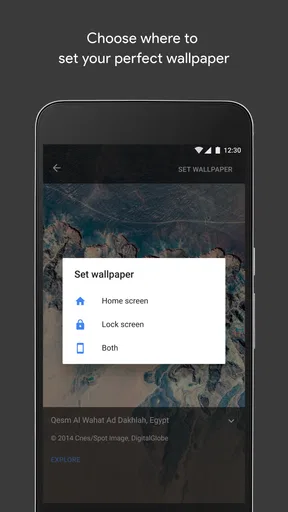
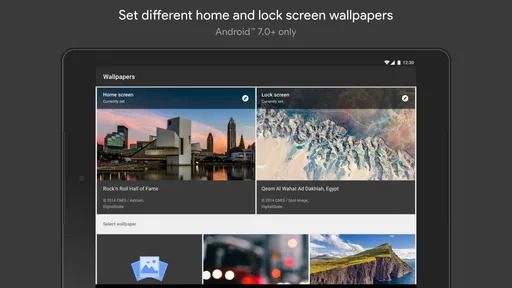
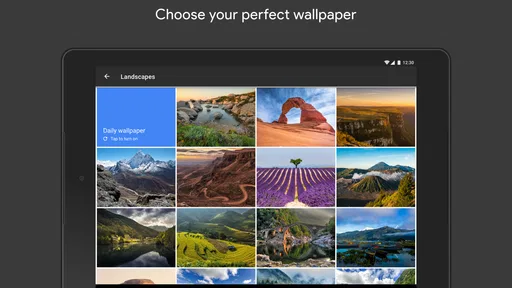
Our Review of Wallpapers
 Analysis by Appyee
I judge a wallpaper app less by how many images it can show me and more by whether it helps me choose one that works on my actual phone. Wallpapers is at its best when I want a quick visual refresh without turning the process into a project: I can browse, preview, and make a change with little fuss. It is a free personalization app from Google LLC, and its broad appeal is reflected in an average rating of 4.1 from around 290,000 ratings and more than a billion installs. That reach does not make every image a personal favorite, but it does make this a familiar, approachable place to start.
What makes it useful beyond browsing
The practical value is in the choice-and-preview loop. A wallpaper that looks striking as a thumbnail can feel too busy behind app icons or too dark on a lock screen. Previewing it in context helps me catch that before I settle on it. My tip is to judge the image where you will actually see it: check the home screen for icon contrast, then the lock screen for whether the focal point survives around the clock and notifications. That small pause can save you from changing it again five minutes later.
I also like treating a wallpaper as part of a routine rather than a permanent makeover. For example, on a busy weekday morning I might pick a calmer image with a clear area behind my icons, while on the weekend I can spend longer browsing something more colorful. A simple background can make a phone feel less visually cluttered, but the reverse is true too: a detailed image may compete with widgets and icons. The best choice is not necessarily the most dramatic one; it is the one that stays pleasant after repeated glances.
Choosing a background that fits your phone
When I am deciding between several options, I look for a strong focal point and enough open space for the interface. Images with a subject near the center can be awkward if the clock or icons cover it, so I check the preview rather than assuming a crop will work. A soft gradient or a spacious landscape often feels easier to live with than a busy pattern, especially if I rely on widgets. This is a useful distinction when browsing: choose for the screen layout you have, not just for the image you like in isolation.
Another sensible habit is to save a short list of contenders mentally—or take note of the ones you want to revisit—before applying anything. Swapping rapidly can make every option seem equally appealing, and it is easy to forget which one was actually readable. I prefer to test one image for a day, then decide whether it improves the phone’s overall feel. That approach keeps personalization enjoyable without making it another stream of small decisions.
Where it sits among wallpaper options
Compared with searching the web for images, a dedicated wallpaper app is more convenient because browsing and setting a background happen in one place. Web searches can turn up a broader range of unusual art, but they also leave me to judge whether an image is suitable for my screen and to handle the saving and cropping myself. Compared with a launcher that changes the whole interface, this app is the lighter choice: it focuses on the background rather than asking me to reorganize how I use the phone.
That focus is also a boundary. If you want to build a detailed theme around coordinated icons, widgets, and colors, a launcher or a more specialized theming tool may suit you better. If you already have a personal photo you love, setting that directly may be faster than browsing a catalog. I see this app as a convenient source of fresh choices, not a replacement for every route to a customized screen.
A few practical trade-offs
Choice can become its own friction. A broad catalog is helpful when I have a mood in mind, but less helpful when I just want one calm, readable image quickly. I get better results by starting with a clear preference—dark or light, quiet or vivid, photographic or abstract—instead of scrolling without a goal. I also check whether an image feels comfortable at the brightness I normally use; a wallpaper that looks great at full brightness may feel harsh late at night.
Live or animated backgrounds, where available on a device, are worth choosing deliberately rather than simply because they move. Motion can add personality, but a still image is often the more restrained option for someone who values a quiet screen or wants to avoid extra visual activity. I would try a dynamic choice briefly and switch back if it distracts me during routine tasks. Likewise, any editing or customization tools are most useful when I have a specific adjustment in mind; if I only want a clean background, extra tweaking can slow down an otherwise simple decision.
Who I would recommend it to
I would recommend this to someone who changes their phone’s look now and then, wants an easy way to browse visual options, or is not sure how a background will sit behind the interface. It is especially handy if you enjoy small personal touches but do not want to install a full theme or spend time collecting image files. The Everyone content rating and free price also make it an easy app to try without treating the decision as a major commitment.
I would be less likely to recommend it to someone who already has a well-organized personal wallpaper library, wants precise control over every part of a theme, or dislikes browsing for its own sake. In those cases, a local photo, a dedicated design tool, or a launcher can be a more direct fit. The useful question is not whether you can personalize a screen in many ways; it is whether you want this particular, wallpaper-first way of doing it.
Let me tell you about a little app called Wallpapers. If you’re like me and love switching up your phone’s look as often as your mood changes, then you’re in for a treat. This app is all about giving your device a fresh vibe with just a few taps. But hang tight, because I’m going to take you through everything you need to know about it.
First Impressions and Features
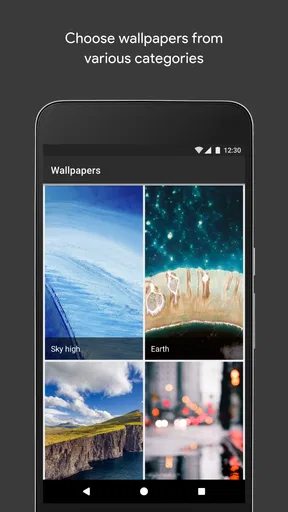
Opening the Wallpapers app for the first time feels like stepping into a gallery of visual delights. The interface is super clean and intuitive, which is always a plus in my book. There's no fuss, just a straightforward layout that lets you dive right into the good stuff. You’re greeted with a variety of categories like Nature, Abstract, and Minimalist, just to name a few. Trust me, no matter what your aesthetic is, you’re likely to find something you’ll love.
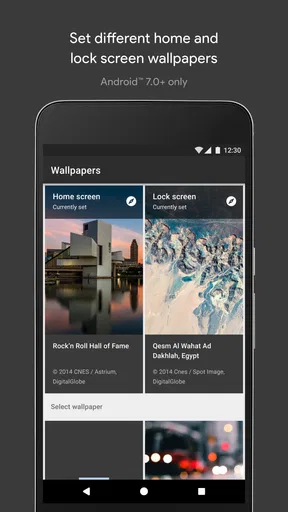
What really caught my eye was the app’s high-resolution images. Each wallpaper is crisp, vibrant, and optimally sized for your screen. It's like having a little piece of art right on your phone. Plus, there's a nifty feature that allows you to preview how a wallpaper will look on your lock screen and home screen before you commit. It's the small things like this that make the app user-friendly and enjoyable.
Personalization Paradise
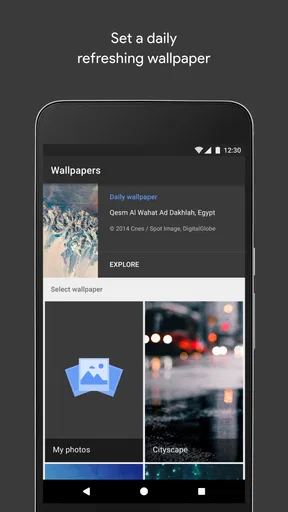
One of the standout features of Wallpapers is the level of personalization it offers. You’re not just limited to static images; the app also includes live wallpapers and the ability to customize them. Imagine having a dynamic scene playing out on your phone every time you unlock it. It’s like adding a little bit of magic to your day.
There are also tools to create your own wallpapers. You can tweak colors, add filters, or even layer images to craft something truly unique. It’s perfect for those who have a creative streak and want something that’s one-of-a-kind. It turns your phone into a canvas, letting you express yourself in a way that’s both personal and stylish.
Usability and Accessibility
Now, let’s talk about usability. The app runs smoothly, with no noticeable lags or crashes in my experience. The developers clearly put a lot of thought into making it accessible and easy to navigate. Whether you’re tech-savvy or not, you’ll find it a breeze to use. The app’s search functionality is also top-notch, allowing you to find exactly what you’re looking for without any hassle.
Accessibility is another area where the app shines. It’s available on both Android and iOS, and the experience is seamless across devices. This means you can enjoy the same great features whether you’re team Apple or team Android. It’s all about inclusivity, and who doesn’t love that?
Endless Variety and Updates
One of the fears with any app like this is that you’ll run out of content or get bored of the options available. Thankfully, Wallpapers keeps things fresh with regular updates. New wallpapers are added frequently, ensuring that there’s always something new to catch your eye. This keeps the app feeling alive and engaging, rather than something that just sits on your phone collecting digital dust.
The variety is impressive too. Whether you’re into high-tech futuristic designs or calming nature scenes, there’s a rich selection to explore. And if you’re anything like me, you’ll find yourself changing your wallpaper more often than you’d like to admit, simply because there’s so much to choose from.
Final Thoughts
All in all, Wallpapers is a fantastic app for anyone looking to give their device a little facelift. With its user-friendly interface, wide range of stunning images, and customization options, it’s hard to find a reason not to love it. Whether you’re looking to switch things up daily or just want that perfect backdrop for your phone, this app has got you covered.
So, if you’re ready to transform your phone into a dynamic work of art, give Wallpapers a try. It’s a little bit of fun and creativity right at your fingertips. Happy decorating!
My verdict
For me, the strongest case for this app is the low-effort way it makes choosing a background feel more considered. Previewing before applying is genuinely useful, and the straightforward focus on wallpapers keeps the experience approachable. The trade-off is that a large selection can still take time to browse, and people looking for a complete, coordinated phone theme may need another tool. With around 9,900 written reviews and a release date of October 19, 2016, it has a long-running presence, though popularity alone is not a reason to keep every image or feature. I’d suggest giving it a try if you want an uncomplicated starting point for refreshing your screen, then keeping only the choices that work in everyday use.
Verdict
Strengths of Wallpapers
- Wide variety of HD and 4K images.
- Easy-to-use interface with smooth navigation.
- Regular updates with new wallpapers.
- Customizable categories for easy access.
- Minimal ads, enhancing user experience.
Limitations of Wallpapers
- Limited editing tools for personalization.
- Some wallpapers require in-app purchases.
- Occasional slow loading times reported.
- No option to share wallpapers directly.
- Lacks live wallpaper options.
Other Releases by Google LLC
View All
Google Calendar
Productivity4.6

Google Messages
Communication4.6

Tools4.0

Google TV
Video Players & Editors3.9
Similar Picks in This Category
View All
Microsoft SwiftKey AI Keyboard
SwiftKey4.3

Zedge™ Wallpapers & Ringtones
Zedge4.7

Yandex Browser with Alice AI
Direct Cursus Computer Systems Trading LLC4.3

Ringtone Maker:create ringtone
Big Bang Inc.4.7

Fonts Keyboard
Fonts Keyboard3.9

Neon Love Theme
Delicate theme for Android App4.6
You May Also Like
View All

Frequently Asked Questions
What features does the Wallpapers app offer?
The Wallpapers app offers a diverse range of high-quality images, including categories like nature, abstract, and technology. It supports automatic wallpaper cycling, lets you save favorites, and offers customization options for home and lock screens. Additionally, the app provides a search feature to easily find specific themes.
Is the Wallpapers app free to use?
Yes, the Wallpapers app is free to download and use. However, it may include in-app purchases for premium content and features. These might include exclusive wallpapers, ad-free experience, or advanced customization options. Check the app store listing for detailed pricing information.
How often is new content added to the Wallpapers app?
New content is regularly added to the Wallpapers app to keep the collection fresh and exciting. Updates typically occur weekly, bringing a variety of new images across different categories. Users can enable notifications to be alerted when new wallpapers are available for download.
Does the Wallpapers app consume a lot of battery or data?
The Wallpapers app is optimized to minimize battery and data usage. It allows users to download wallpapers using Wi-Fi only to save data. Additionally, the app’s background processes are designed to be efficient, ensuring minimal impact on battery life during automatic wallpaper updates.
Can I use my own photos as wallpapers within the app?
Yes, the Wallpapers app allows users to upload and use their own photos as wallpapers. This feature provides a personalized touch, enabling users to customize their device’s appearance with personal images. The app also offers basic editing tools to adjust and fit the photos to your screen.
